How to Create Viral Short Videos Using Noizz APK AI Templates
Introduction
Short-form video content has become the most consumed media format across platforms like TikTok, Instagram Reels, and YouTube Shorts. The secret to going viral lies in combining creativity with speed, and tools that simplify editing. Noizz APK offers AI-powered templates that allow creators to produce professional-quality short videos in minutes, boosting their chances of virality.
What is Noizz APK?
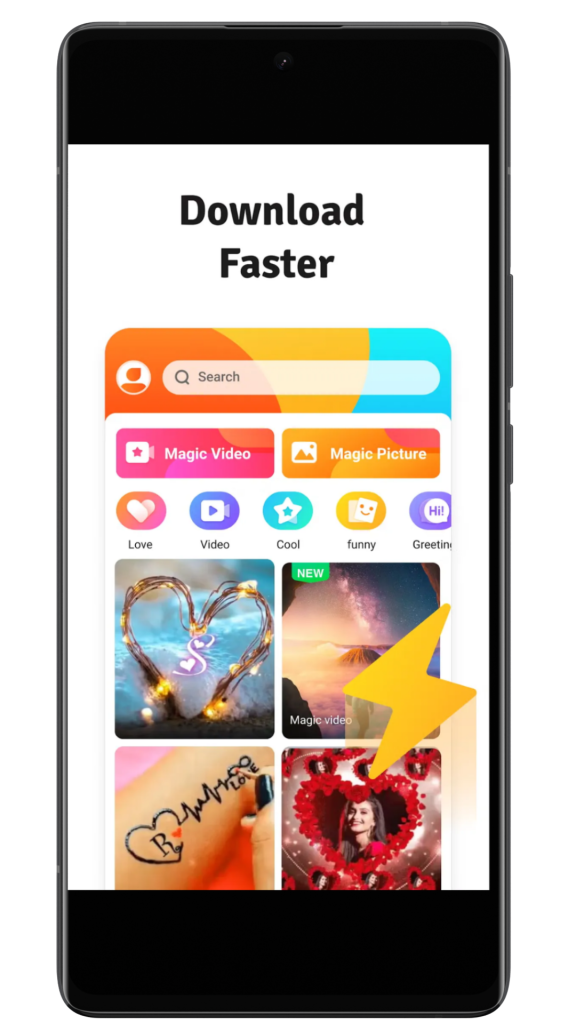
Noizz APK is a video editing application designed for Android users who want to create engaging short videos. It specializes in AI-driven templates, smart effects, and trending music integration. With its intuitive interface, Noizz makes video creation accessible to beginners and professionals alike.
Key Features of Noizz APK
- AI Templates: Pre-designed structures that match trending formats.
- Smart Effects: Automatic transitions, filters, and animations.
- Music Integration: Access to trending tracks for higher engagement.
- Social Sharing: Export videos directly to TikTok, Instagram, and Facebook.
- Customization Tools: Add text, stickers, and filters for personalization.
- Fast Rendering: Create and publish videos quickly without lag.
Why Use AI Templates for Viral Videos?
AI templates save time by providing ready-made designs that align with current trends. They ensure videos look polished and professional even for beginners. Using trending templates increases the chances of your content being shared widely.
Step-by-Step Guide: Creating Viral Videos
Step 1: Download and Install Noizz APK
Install Noizz APK from a trusted source to ensure safety. Open the app and grant necessary permissions for storage and camera access. This prepares the app for smooth video editing.
Step 2: Choose an AI Template
Browse through the library of AI templates provided by Noizz. Select a template that matches your video idea or trending topic. Templates are categorized by themes such as fashion, comedy, travel, and lifestyle.
Step 3: Import Media
Upload photos or video clips from your device. Noizz automatically adjusts them to fit the chosen template. This step ensures your content blends seamlessly with effects and transitions.
Step 4: Customize Content
Add text overlays, stickers, and filters to personalize your video. Adjust colors, fonts, and animations to match your brand or style. This customization makes your video unique while retaining the viral format.
Step 5: Add Music
Select trending tracks from Noizz’s music library. Sync the beat with transitions for maximum impact. Music enhances engagement and increases the likelihood of virality.
Step 6: Preview and Edit
Preview the video before exporting. Make adjustments to timing, effects, or text placement. This ensures the final product is polished and error-free.
Step 7: Export and Share
Export the video in high quality and share directly to TikTok, Instagram, or Facebook. Posting at peak times increases visibility. Consistent sharing builds audience trust and engagement.
Benefits of Using Noizz APK
Noizz APK simplifies video creation by combining AI templates with customization tools. Users can produce professional-quality videos without advanced editing skills. Its direct sharing feature maximizes reach across social platforms.
Common Mistakes to Avoid
Using outdated templates reduces the chances of going viral. Overloading videos with too many effects distracts viewers. Forgetting to add music often results in lower engagement rates.
Tips for Going Viral
- Focus on trending topics and hashtags to increase discoverability.
- Keep videos short and engaging to maintain viewer attention.
- Post consistently to build an audience and improve algorithmic reach.
- Collaborate with influencers or friends to expand visibility.
- Use captions to make videos accessible to all viewers.
Comparison Table: Noizz APK vs Other Video Editors
| Feature | Noizz APK | Other Editors |
|---|---|---|
| AI Templates | Yes | Limited |
| Smart Effects | Yes | Moderate |
| Music Library | Yes | Rare |
| Social Sharing | Yes | Moderate |
| Ease of Use | High | Moderate |
Advanced Features in Latest Version
The latest version of Noizz APK introduces faster rendering and improved AI templates. It supports HD exports without lag. Enhanced customization tools allow deeper personalization of videos.
FAQs
Can Noizz create professional videos? Yes, AI templates ensure polished results. Does it require advanced skills? No, beginners can use it easily. Is it safe to use? Yes, if downloaded from reliable sources. Can it handle large files? Yes, Noizz supports big video projects. Does it work on all devices? Yes, it is compatible with most Android versions.
Info Box: Quick Facts
Latest Version: Updated regularly for better performance. Compatibility: Works on most Android devices. Cost: Free with premium features available. Risk Level: Low if used properly.
Best Practices for Viral Video Creation
Always use trending templates and music for maximum reach. Keep videos under 30 seconds to maintain attention. Post consistently and engage with comments to build community.
Performance Comparison
Noizz APK outperforms most video editors in terms of speed and template variety. Its AI-driven features are unique compared to manual editing tools. Other editors often require more effort, while Noizz simplifies the process.
User Experience and Interface
Noizz provides a clean and intuitive interface for video creation. Navigation is simple, with clear options for templates, effects, and sharing. Users can enjoy a consistent experience without learning complex commands.
Conclusion
Noizz APK is the ultimate tool for creating viral short videos using AI templates. It combines smart effects, trending music, and direct sharing features in one application. With creativity, consistency, and the right templates, Android users can transform everyday ideas into viral sensations.